Free Printable Expense Tracker Template
Keep track of your expenses for the month on a single page. Include the date, what it was, a category if you want one, and the amount. Fill it in online for a total that adds up as you type, or print it blank and update it by hand. Free to print or save as PDF.
About this Expense Tracker
An expense tracker is a list of what you spend, one expense per line, written down as they come up. After a month, this gives you a clear view of what you have spent and where.
This printable expense tracker fits a month on a single page: 30 item lines and a total column. It can also be used to track expenses for a specific event like a vacation, wedding or work project.
Show or Hide the Category Column
Keep the category column if you want to see your spending in groups, such as food, transport or bills. When the date, a description and the amount are all you need, hide it with the Category column toggle above the sheet, and the description gets the extra room.
Anything you typed in the category column stays saved while it is hidden, and it comes back when you show the column again.
Keeping the Log Going
- Write each purchase down on the day you make it.
- Once a week, do a quick check and add any expenses you may have missed.
- Keep descriptions short. The shop or the item is enough.
- At the end of the month, add up each category and set it against what you planned to spend.
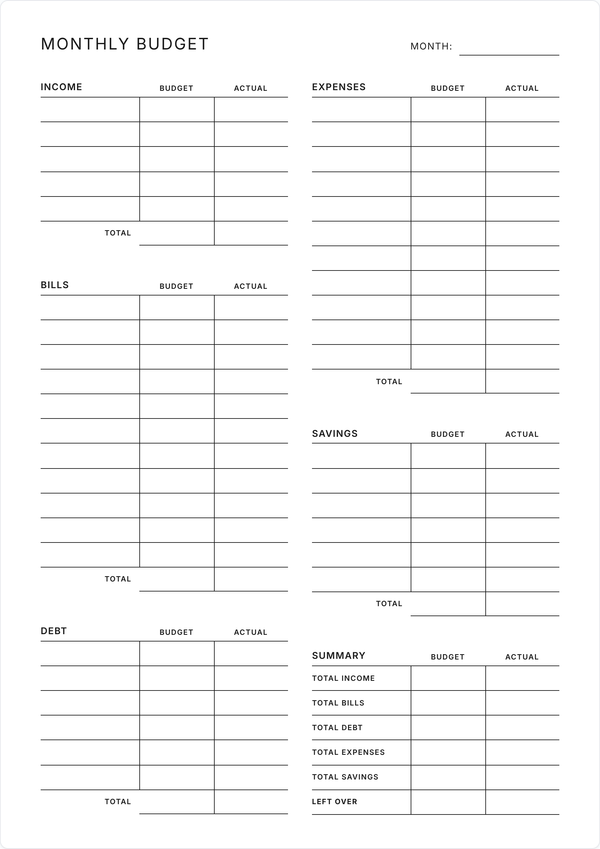
Plan first, then track. Set the month’s limits on the monthly budget template, and use this sheet to record your spending against them.
Categories to Start With
Use your own, or begin with commonly used ones like these:
- Groceries
- Eating out and takeaways
- Transport and fuel
- Household and bills
- Health and personal care
- Subscriptions and entertainment
- Clothes
- Gifts
The Running Total
Each amount you type goes into the TOTAL at the foot of the sheet. Type over the total to set it yourself, and clear it to bring the calculated figure back.
To add it up by hand, switch Auto totals to Off above the planner. The total then stays empty until you write in it, which suits a month you start online and finish with a pen.
Print or Save as PDF
Whenever you are ready, use the buttons top right of the tracker to print or save the template as a PDF. Both are completely free and any edits you make are automatically applied in the printed and PDF version.
Features
Total as You Type
Amounts add up into the TOTAL while you type. Type over it, or turn Auto totals off and add it up yourself.
Category Column On or Off
Show the category column to group your spending, or hide it to give descriptions more room. Your entries stay put either way.
30 Lines a Month
About one purchase a day. Print a second sheet for a busier month.
Stays in Your Browser
What you type is saved on this device. There is no account, and nothing about your spending is stored on our side.
Print It Blank
Print an empty sheet to fill in by hand, or type your purchases first. It fits one page of A4 or Letter.
Fonts and Colors
Pick from 8 title fonts, 5 body fonts and 8 color schemes, and print in the style you chose.
Frequently Asked Questions
What is an expense tracker template?
It is a ready-made sheet for writing down what you spend: the date, what you bought and how much, one line per purchase. This one fits a month on a single page, and you can fill it in online before you print it.
How do I track my expenses?
Write each purchase on the sheet the day you make it, and check in once a week for anything you missed. At the end of the month, add up each category to see where the money went, and compare it with your budget.
How does the total work?
The TOTAL adds up the AMOUNT column as you type. Type over it to use your own figure, and clear the cell to bring the calculation back.
Can I turn off the automatic total?
Switch Auto totals to Off above the planner, and the total stays empty until you write in it. Use it when you fill in part of the month online and add it up on paper.
How is an expense tracker different from a budget?
A budget is the plan: what you expect to earn and how you mean to spend it. An expense tracker is the record of what you spent. Plan with the monthly budget template, log purchases here, and compare the two at the end of the month.
Can I use it to track business expenses?
It works for freelance or small business spending. Put the client or project in the description, use categories such as travel, supplies and software, and keep the receipts with the printed sheet.
Does it work with any currency?
Type amounts the way you write them, with or without a currency sign, and the sheet adds them up. The total shows as a plain number, such as 1,234.50.
Is my spending information private?
Your entries are saved in your browser on your device, with no account. If you use Save as PDF, the sheet goes to our server to build the file, and we keep no copy.
Is this expense tracker template free?
It is free to fill in, print and save as a PDF, with no account and nothing to download. Print a fresh copy for each month.